
Kubeterm vs Lens
Lens is the most widely used Kubernetes desktop IDE, and for the everyday work of running Kubernetes, Kubeterm covers much the same ground — free on the desktop, with no account. This article compares the two criterion by criterion: where they match, where Kubeterm's free tier reaches further, and where Lens is still the better answer.
| Kubeterm | Lens | |
|---|---|---|
| Desktop price | Free, no account | Free Personal tier, Lens ID required |
| Free-tier eligibility | Unrestricted | Organisations under $10M revenue or funding |
| Mobile app | iOS and Android, subscription | None |
| AI assistant | Included in the free tier | Lens Prism, premium plans |
| AI model | Own key — OpenAI, Anthropic, Gemini, DeepSeek | Vendor-hosted |
| Argo CD & Flux CD | Included in the free tier | Included on premium plans |
| Helm releases | Full lifecycle | Full lifecycle |
| Chart discovery | Artifact Hub browser | Configured Helm repositories |
| Cloud cluster discovery | AWS, GCP, Azure, DigitalOcean — free tier | EKS and AKS — premium plans |
| Ephemeral debug containers | Built in | Via community extensions |
| Pod file browser | Built in | Via community extensions |
| Command palette | Yes | Yes |
| Multi-cluster switching | Tabs, palette, tag filters | Tabs and catalog; Hotbar on premium |
| Plugin API and catalogue | None | Documented, with a catalogue |
| Shared team access | None | Spaces, on paid plans |
| Security and cost tooling | None | Security Center, cost monitoring |
| Cluster-side installation | Not required | Not required |
Summary
For the everyday work of running Kubernetes — browsing resources and CRDs, streaming logs, opening a shell, forwarding a port, managing Helm releases, watching GitOps sync — Kubeterm and Lens cover much the same ground. Both reach the Kubernetes API from the operator's own machine, both keep several clusters open at once, and neither installs anything inside the cluster.
Where they part company is cost and reach. Kubeterm's AI assistant, Argo CD and Flux CD dashboards, and cloud cluster discovery are included in a desktop client that is free and needs no account; Lens puts each of them on a paid plan. Kubeterm also runs on iOS and Android, and Lens does not.
What Lens has and Kubeterm does not is largely organisational: a plugin API with a catalogue built around it, shared cluster access through Spaces, security scanning, and cost monitoring. For a team that needs those, Lens remains the better answer, and the sections below say so plainly.
Scope and method
This comparison covers Lens Desktop and the Kubeterm desktop and mobile clients as documented on 23 September 2026. Statements about Lens are drawn from Mirantis's own product documentation and pricing pages, cited in the references below. Statements about Kubeterm describe the shipping product at version 2.8.0.
This article is published by Kubeterm, so two things are worth stating up front. The table above marks the criteria on which Lens is the stronger product, and those assessments are not qualified or rebutted anywhere below. And no benchmarks were run for this comparison, so it makes no claim about relative memory use or start-up time.
Licensing and cost
Lens Desktop is available under a Personal plan at no charge. Activation requires a Lens ID, and the application cannot be used without creating one.2 Eligibility for the Personal plan is limited to individuals and organisations with less than $10 million in revenue or funding over the preceding twelve months; above that threshold a paid subscription is required.2 Premium features are included with the Plus, Pro, and Enterprise plans, and new Personal accounts receive a 14-day trial with full access.1,6
The Kubeterm desktop client for macOS, Windows, and Linux is free. There is no account, no trial period, no feature gate, and no eligibility threshold. Its iOS and Android clients are a paid subscription.
The distinction that matters in most evaluations is therefore not free against paid — both products have a free tier — but which capabilities each free tier contains. The sections below follow that question through the areas where the two tiers diverge.
AI-assisted troubleshooting
Both products ship an embedded AI assistant.
Lens Prism is built into Lens Desktop and scoped to the active context: the current cluster, namespace, and workloads. It runs diagnostics through the operator's own kubeconfig and cannot exceed that operator's RBAC permissions.3 It is a premium feature, available on the Plus, Pro, and Enterprise plans.1
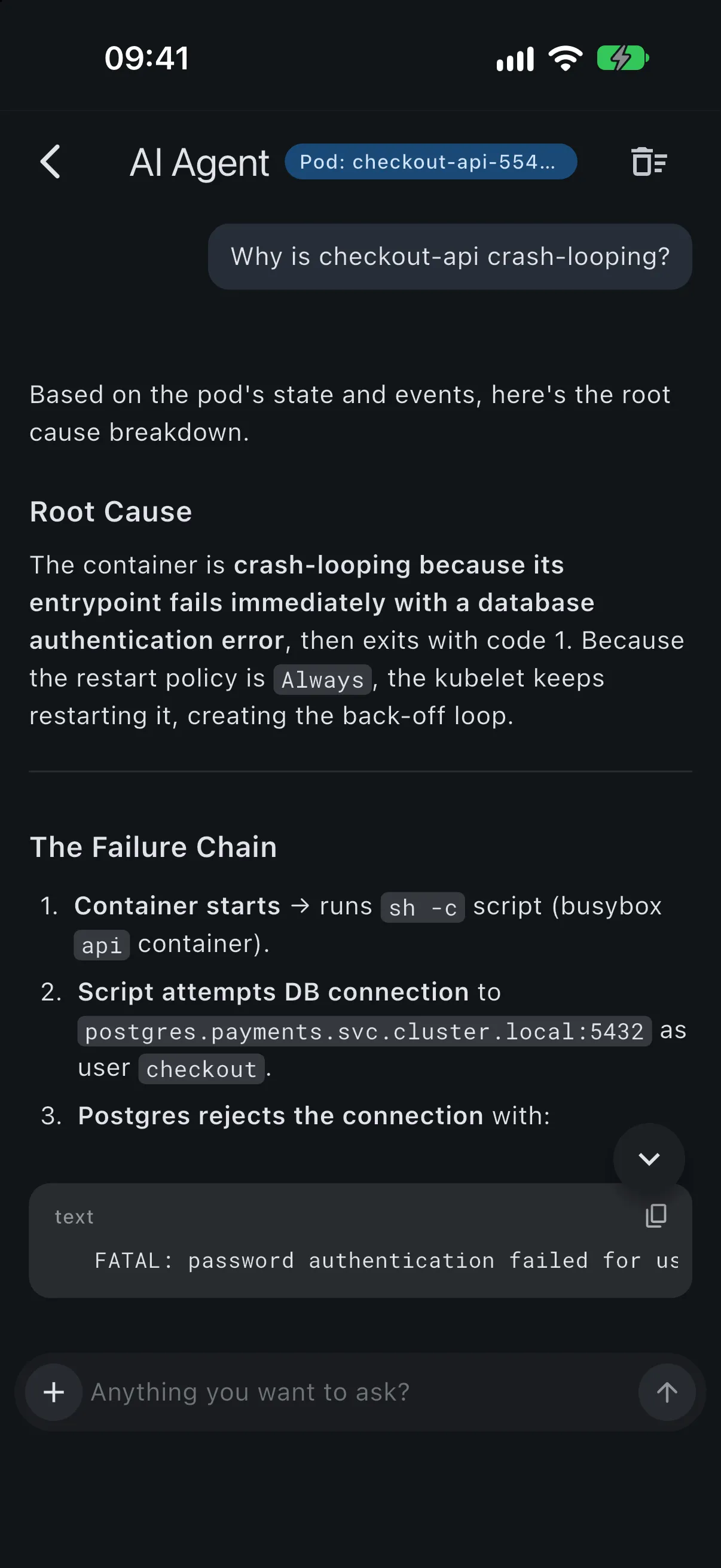
The Kubeterm assistant is included in the free desktop client. It operates on a bring-your-own-key basis across OpenAI, Anthropic, Gemini, and DeepSeek, so the model provider is the operator's choice and requests are billed to an account the operator controls. Its permitted actions are governed by a policy that defaults to read-only and is widened explicitly.
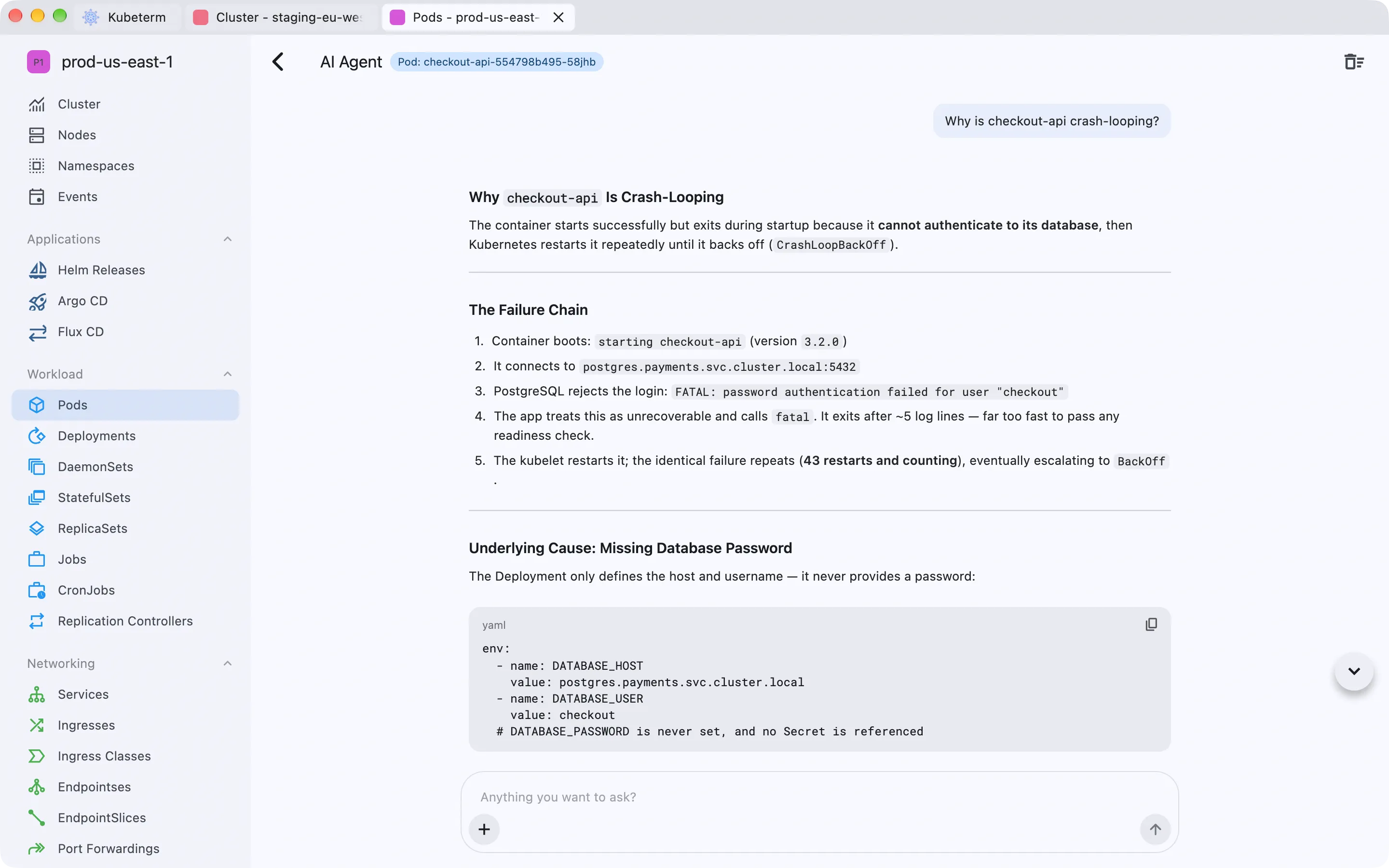
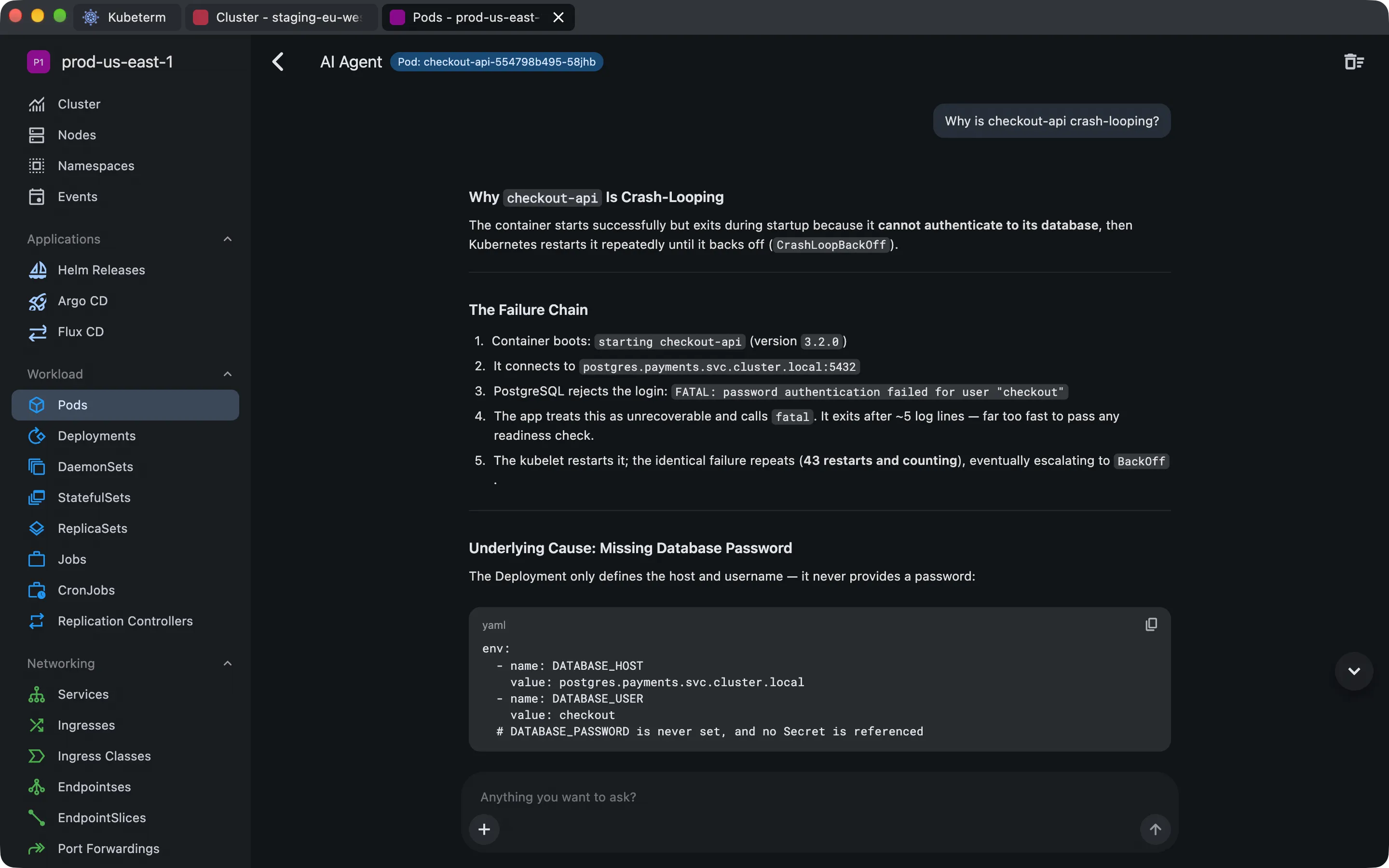
The assistant reads the manifest, recent events, and container logs for the selected workload and reports the chain it found.
In a typical investigation the assistant gathers a failing workload's manifest, recent events, and
container logs, then reports the causal chain it found — a CrashLoopBackOff traced to
a rejected database login arising from an unset environment variable, for example. Each underlying
operation is one an operator could perform directly; the assistant's contribution is to collect
and correlate them in a single step.
The practical differences are tier and provider. Lens Prism requires a paid plan and runs against a model hosted by the vendor. The Kubeterm assistant is available at no cost and runs against a model the operator selects and pays for separately. Further detail is in the AI assistance documentation.
GitOps and application management
Helm support is comparable. Both products cover the release lifecycle — install, upgrade, roll back, and uninstall — from the interface.
Chart discovery differs in approach. Lens provides a Charts browser populated from the Helm repositories configured in its preferences, with the Bitnami repository enabled by default and further repositories added by the operator. Kubeterm browses Artifact Hub directly, which aggregates charts published across repositories rather than requiring each repository to be added first.
For GitOps the difference is tier rather than approach. Lens provides Argo CD and Flux CD dashboards as premium features.1 Kubeterm reads Argo CD and Flux CD application status directly from the Kubernetes API in the free tier, with no plan requirement and no configuration step. Both appear alongside Helm releases in a single Applications section.
Cluster connectivity and credentials
Neither product installs an agent, operator, or Helm chart in the cluster. Both connect to the Kubernetes API from the machine they run on, so an evaluation of either leaves nothing behind.
Lens discovers AWS EKS and Azure AKS clusters as a premium feature.1 Outside that, clusters are reached through kubeconfig. Kubeterm signs in natively to AWS, Google Cloud, Azure, and DigitalOcean, authenticates any cluster through OIDC, and discovers kubeconfig files on the machine automatically — all in the free tier.
Kubeterm stores credentials in the platform keychain. Kubeconfig files and credentials are not transmitted to a Kubeterm server, and every API call goes from the device to the cluster directly; individual clusters can additionally be locked behind biometric authentication. The security documentation sets out the detail.
Troubleshooting and debugging
Log streaming, container terminal access, and port forwarding are present in both products.
Two capabilities differ. Ephemeral debug containers and browsing a running pod's file system are
built into Kubeterm. For Lens both are available through third-party community extensions rather
than the core product. The distinction matters mainly for distroless images, which carry no shell
and so cannot be inspected with exec alone.
Keyboard navigation
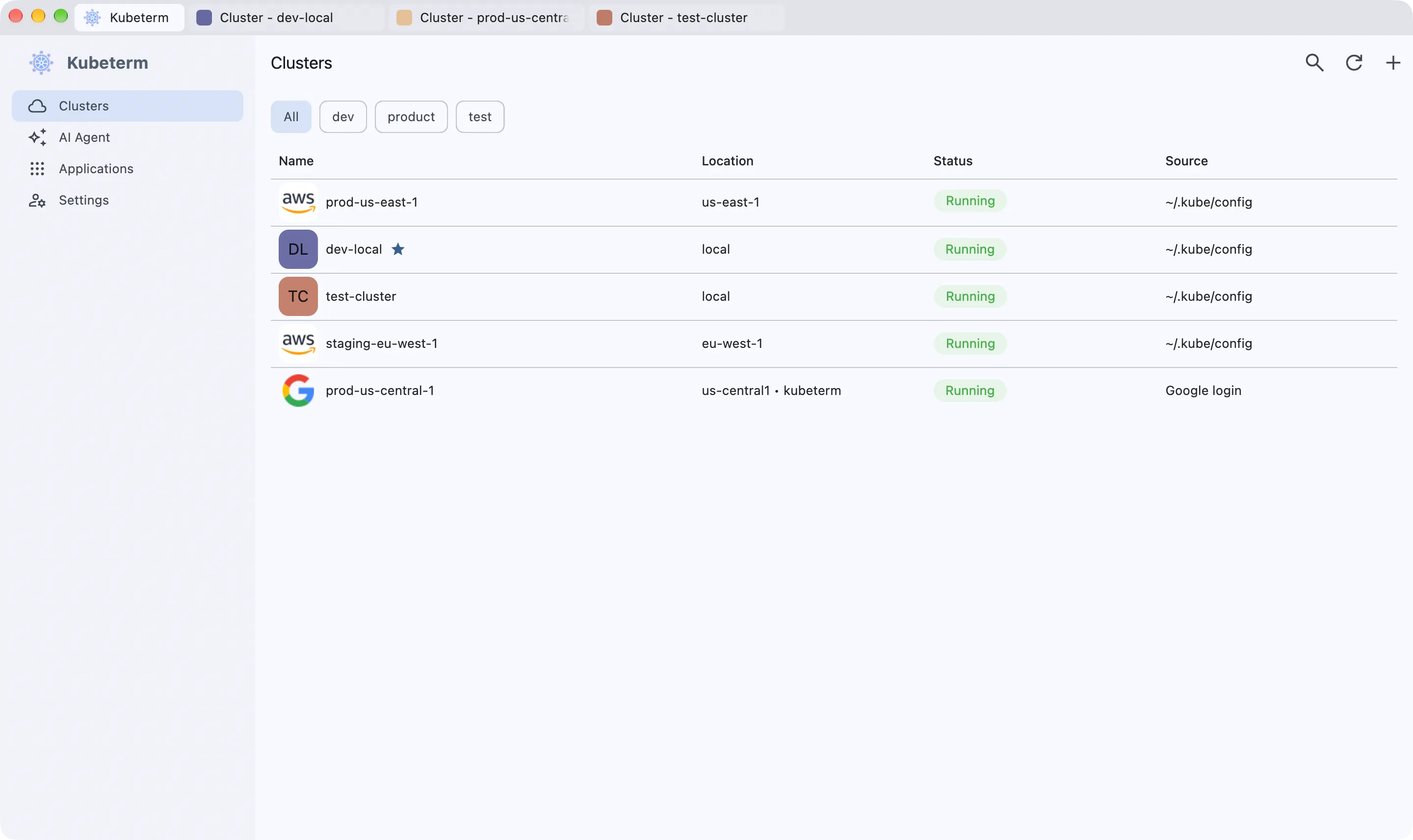
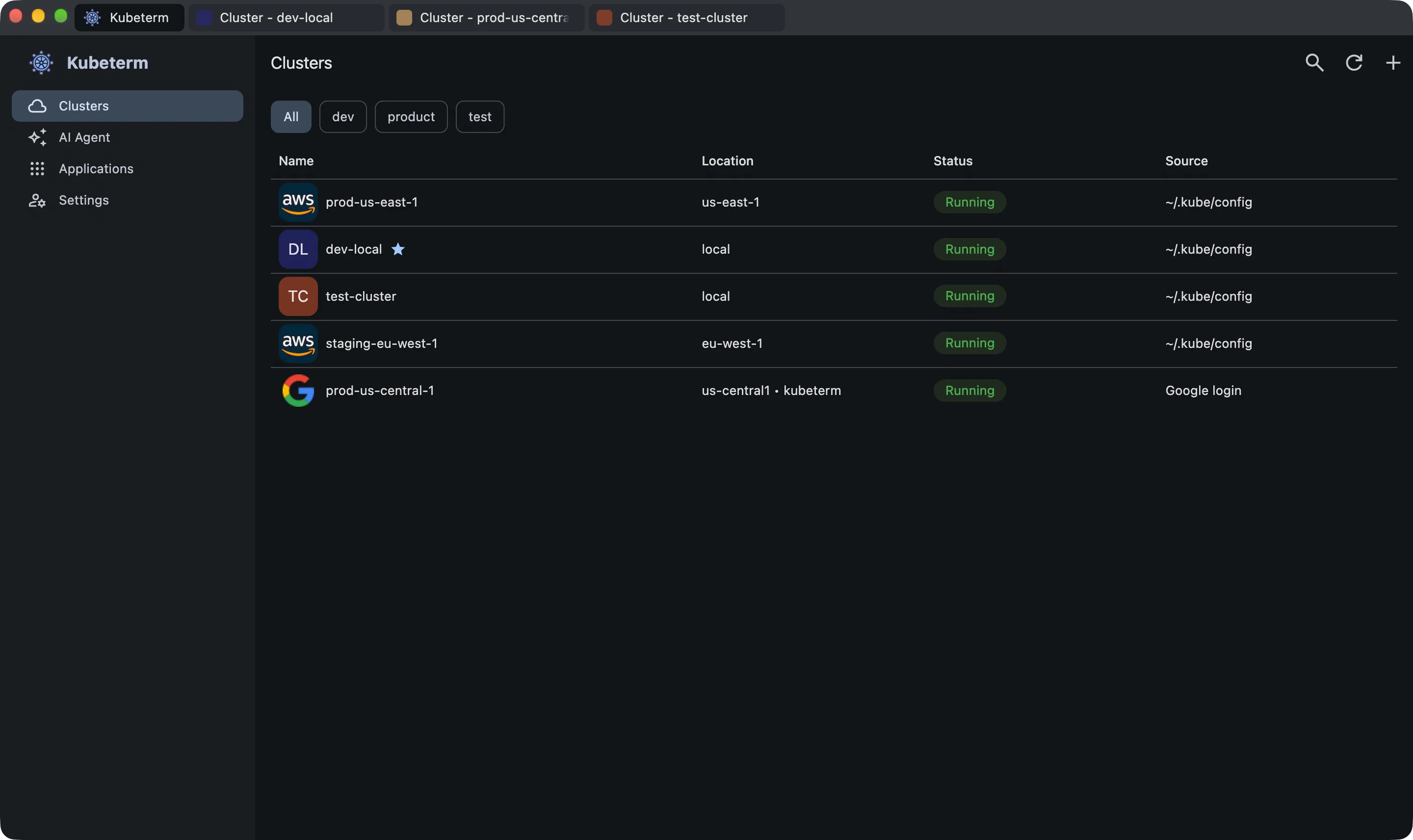
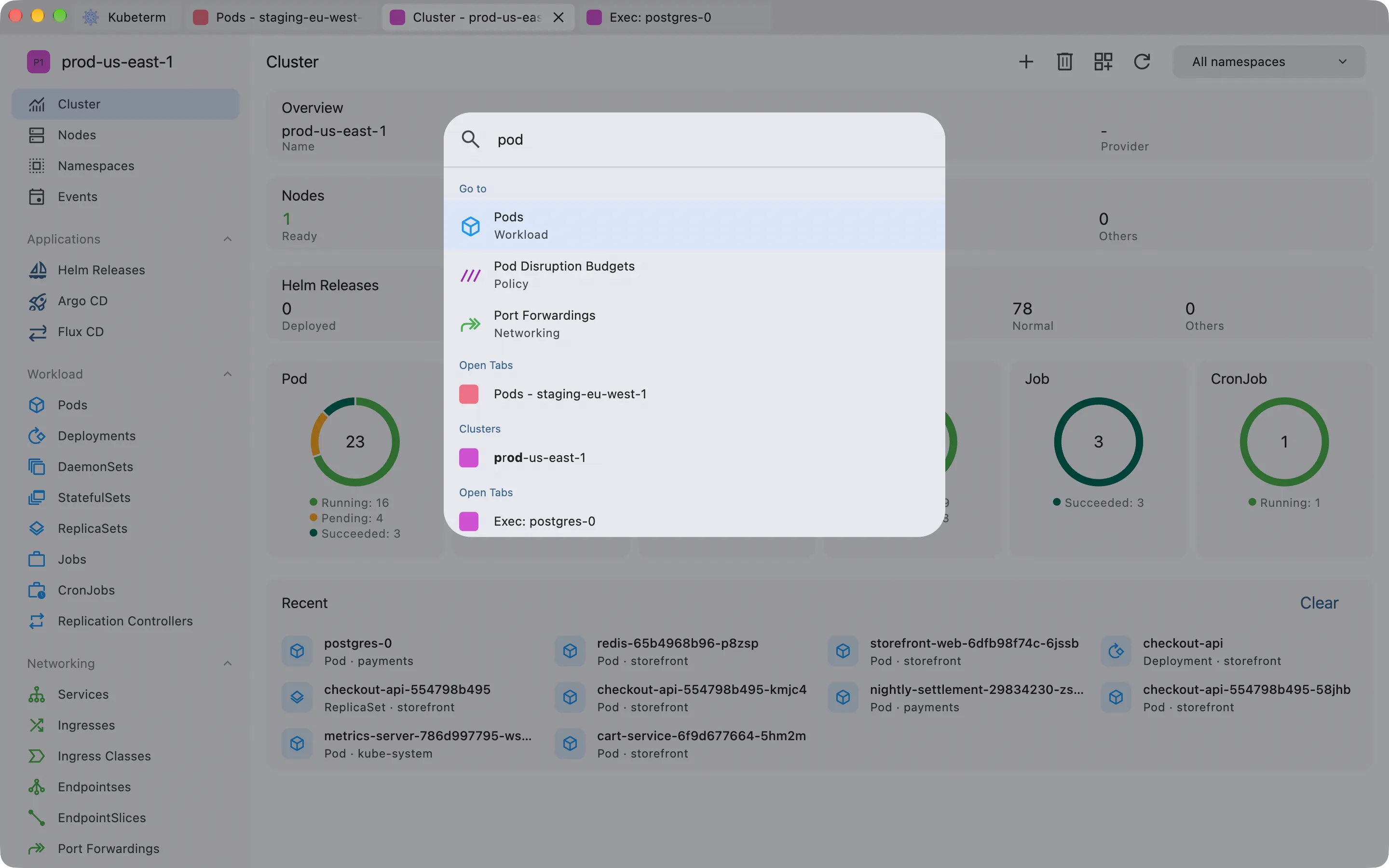
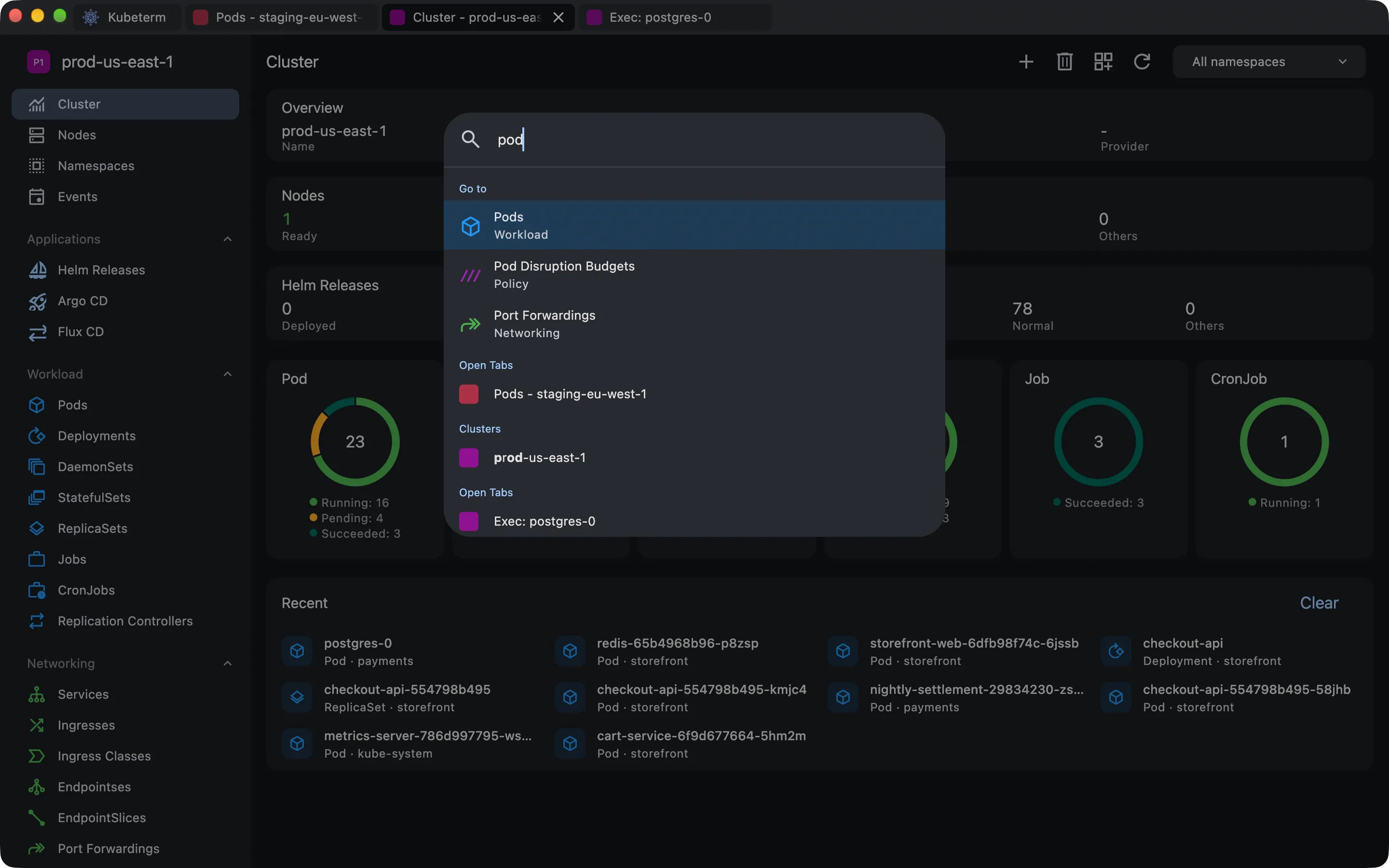
Both products provide a command palette, and neither charges for it. In Lens it opens with ⌘⇧P or Ctrl+Shift+P and has been present since version 4.1.7 In Kubeterm it opens with ⌘K or Ctrl+K and resolves clusters, resource kinds, open tabs, recently viewed objects, and commands by name.
Beyond the palette, Kubeterm's desktop client is navigable without the mouse: j and k move through table rows and h and l scroll wide ones, while ⌘Y, ⌘L, ⌘E, and ⌘B open the highlighted row's YAML, logs, shell, and file browser respectively — with ⇧ added, in a new tab. Tabs answer to ⌘1–⌘9, ⌘W, and ⌘⇧T, and ? shows a cheat sheet of every binding. Lens documents its own set of shortcuts; the two are not compared here in detail.
Moving between clusters works much the same way in both. Each keeps several clusters open at once and puts them in tabs, so switching is a click or a keystroke rather than a reconnect. In Kubeterm that is ⌘1–⌘9 across open tabs, the command palette for any cluster by name, and tag filters that give each environment its own tab in the cluster list.
Lens adds a pinned launcher on top of this — the Hotbar, a strip of cluster icons down the left edge holding twelve per bank, reachable with F1–F12. It is a premium feature.1,8 Kubeterm has no pinned cluster strip; what it pins instead is resources, through Quick Access in the left navigation, in the free client.
Extensibility and team collaboration
This is the area in which Lens is the stronger product, and the gap is not a narrow one.
- Plugin API and catalogue. Lens publishes an extension API with a catalogue built around it. Kubeterm has no extension mechanism of any kind. An organisation that wants to surface its own internal tooling inside its Kubernetes client cannot do so in Kubeterm.
- Shared team access. Lens Spaces provide managed access to shared clusters on paid plans.2 Kubeterm has no multi-user or shared-access concept; it is a single-operator client.
- Security and cost tooling. The Lens Security Center and cost monitoring across namespaces are premium features.1 Kubeterm has no counterpart to either.
- Maturity and installed base. Lens has a longer development history and a substantially larger installed base. Where colleagues already know the product, the cost of switching is real and is not captured by a feature table.
Platform coverage
Both products run on macOS, Windows, and Linux. Kubeterm additionally publishes iOS and Android clients covering the same core workflows as the desktop application, including cluster browsing, log streaming, container terminals, and AI-assisted investigation. Lens has no mobile client. Where access from a phone outside working hours is a requirement, this criterion decides the comparison on its own.
The two are built differently as well: Kubeterm is compiled from Flutter, Lens is an Electron application. That is an architectural difference, noted here without a performance claim attached to it.
The Lens forks: OpenLens and FreeLens
Two community forks are frequently raised alongside this comparison, and they are not interchangeable.
OpenLens was the open-source core of Lens Desktop. Its repository now carries a notice that Lens has closed its source code and that no further updates should be expected.5 It is dormant in practice.
FreeLens is a fork of OpenLens begun in 2024, with the stated aim of carrying the open-source version forward.4 It is actively maintained and keeps the familiar Lens interface.
Two structural consequences follow. A fork of the open-source core carries none of the premium features — no Prism, no GitOps dashboards, no Security Center — because those were never part of the open-source code. And a fork's roadmap is set by its own maintainers rather than by Mirantis. Where the objection to Lens is the licence and the account requirement rather than the feature set, FreeLens addresses that objection directly, and does so while preserving the interface a team already knows.
Migration considerations
- Kubeconfig files already present on the machine are discovered automatically. No export step is required.
- Clusters in AWS, Google Cloud, Azure, and DigitalOcean can be loaded with native credentials instead of a kubeconfig.
- Neither client installs anything cluster-side, so a trial leaves no residue and reverting requires no cleanup.
- Both clients can run concurrently against the same cluster. They are independent API consumers and do not conflict, so trying one alongside the other for a week costs nothing but the download.
Selection criteria
Lens is the stronger choice where:
- the client has to be extended with internal tooling through a plugin API;
- several people need managed, shared access to the same clusters;
- security scanning or cost monitoring is required within the client itself.
Kubeterm is the stronger choice where:
- the budget is zero and the requirement includes AI assistance, GitOps visibility, or cloud cluster discovery, each of which is a premium feature in Lens;
- creating a vendor account is unacceptable, whether as policy or as preference;
- the AI assistant has to run against a particular model provider, or against an account the operator controls;
- cluster access from a phone is a requirement.
FreeLens is the stronger choice where the objection to Lens is licensing rather than capability and the existing interface should be preserved.
References
- Lens, Premium Features. Accessed 23 September 2026.
- Lens, Subscription and Licensing FAQ. Accessed 23 September 2026.
- Lens, Introducing Lens Prism. Accessed 23 September 2026.
- FreeLens, freelensapp/freelens. Accessed 23 September 2026.
- OpenLens, MuhammedKalkan/OpenLens. Accessed 23 September 2026.
- Lens, Pricing. Accessed 23 September 2026.
- Mirantis, Lens Kubernetes IDE quick tip: keyboard shortcuts and the command palette. Accessed 23 September 2026.
- Lens, Hotbar. Accessed 23 September 2026.
Common questions about Kubeterm and Lens
- Is there a free alternative to Lens?
- Yes. The Kubeterm desktop client for macOS, Windows, and Linux is free, with no account and no feature gates, and FreeLens is a community-maintained open-source fork of the Lens core. Lens itself also retains a free Personal tier, subject to an account requirement and a $10 million revenue or funding limit.
- Does Lens still have a free version?
- Yes. The Lens Personal plan is free, but it requires a Lens ID to activate and is limited to individuals and organisations with less than $10 million in revenue or funding. Premium features, including the Lens Prism AI assistant and the Argo CD and Flux CD dashboards, require a Plus, Pro, or Enterprise plan.
- Is OpenLens still maintained?
- No. The OpenLens repository states that Lens has closed its source code and that no further updates should be expected. FreeLens, a fork begun in 2024, is actively maintained and carries the open-source version forward.
- Does Kubeterm have an AI assistant comparable to Lens Prism?
- Both products include an embedded assistant that reads live cluster state. Lens Prism is a premium feature and runs against a vendor-hosted model. The Kubeterm assistant is included in the free desktop client and runs on a bring-your-own-key basis across OpenAI, Anthropic, Gemini, and DeepSeek, defaulting to read-only access.
- Can an existing kubeconfig be used when moving from Lens?
- Yes. Kubeterm discovers kubeconfig files already present on the machine automatically, and can authenticate to AWS, GCP, Azure, and DigitalOcean with native credentials instead. Neither client installs anything in the cluster, so both can run against the same cluster during an evaluation.
Try Kubeterm free on desktop
Free on macOS, Windows, and Linux. No account, no cluster-side agent, and your credentials never leave your device.
Comparison verified against Lens's published documentation and store listing on 23 September 2026. Products change — if something here is out of date or unfair, tell us and we'll fix it.